A terminal dashboard for every repo on your machine
Stop cd-ing.
Start coding.
Git-Scope helps busy developers instantly find, filter, and manage their entire git universe so you
can stay in your flow state without endlessly cd-ing through nested directories.


Why git-scope
Stop manually cd-ing everywhere.
Do you have 50+ git repos scattered across ~/code, ~/projects, and
~/work? Finding that one side-project from 3 months ago shouldn't take 5 minutes.
Features
Your whole workspace, one screen.
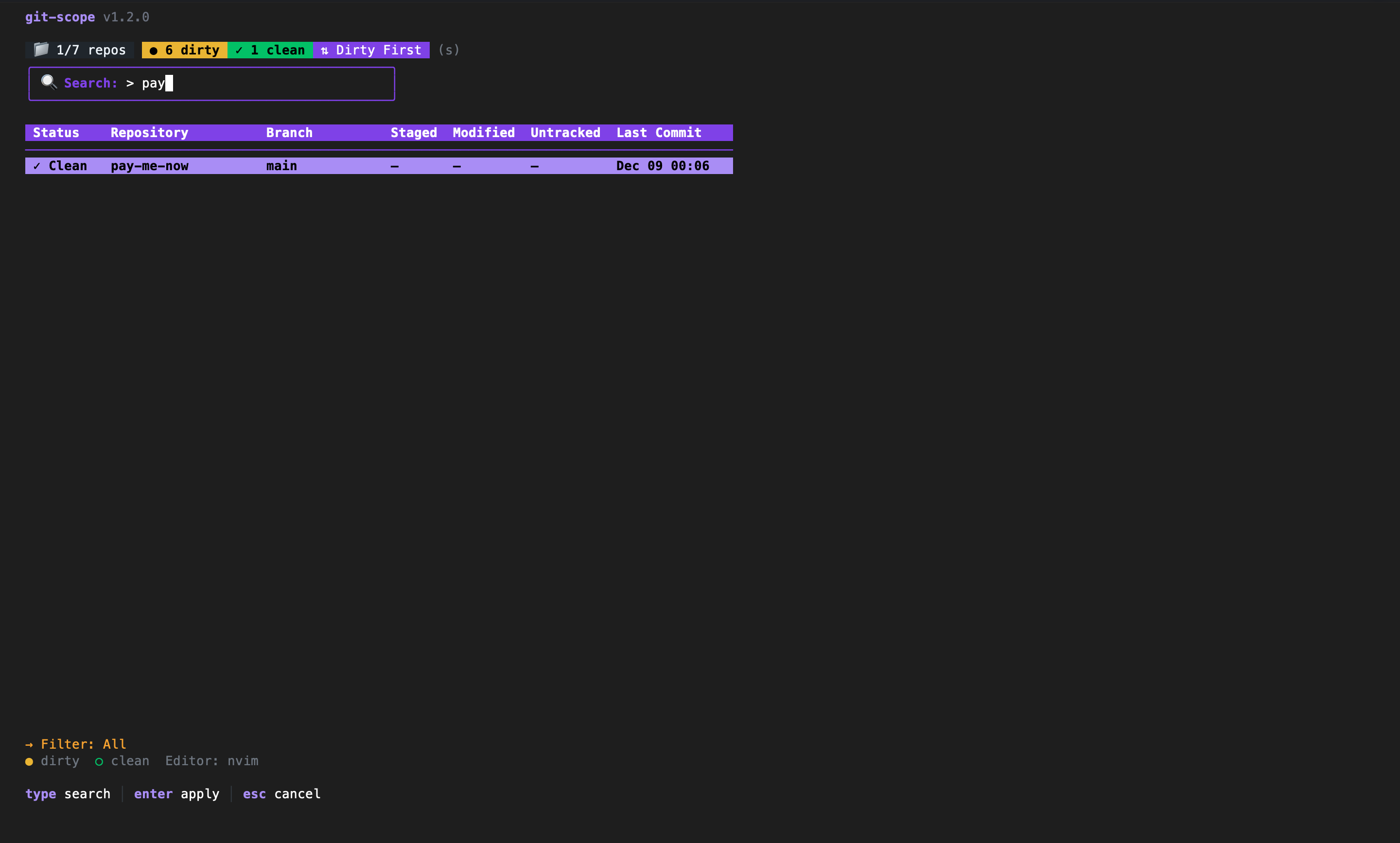
Fuzzy search
Lost a repo? Press / to search by name in real-time. Git-Scope indexes your entire workspace in milliseconds, so you can jump to any project instantly.
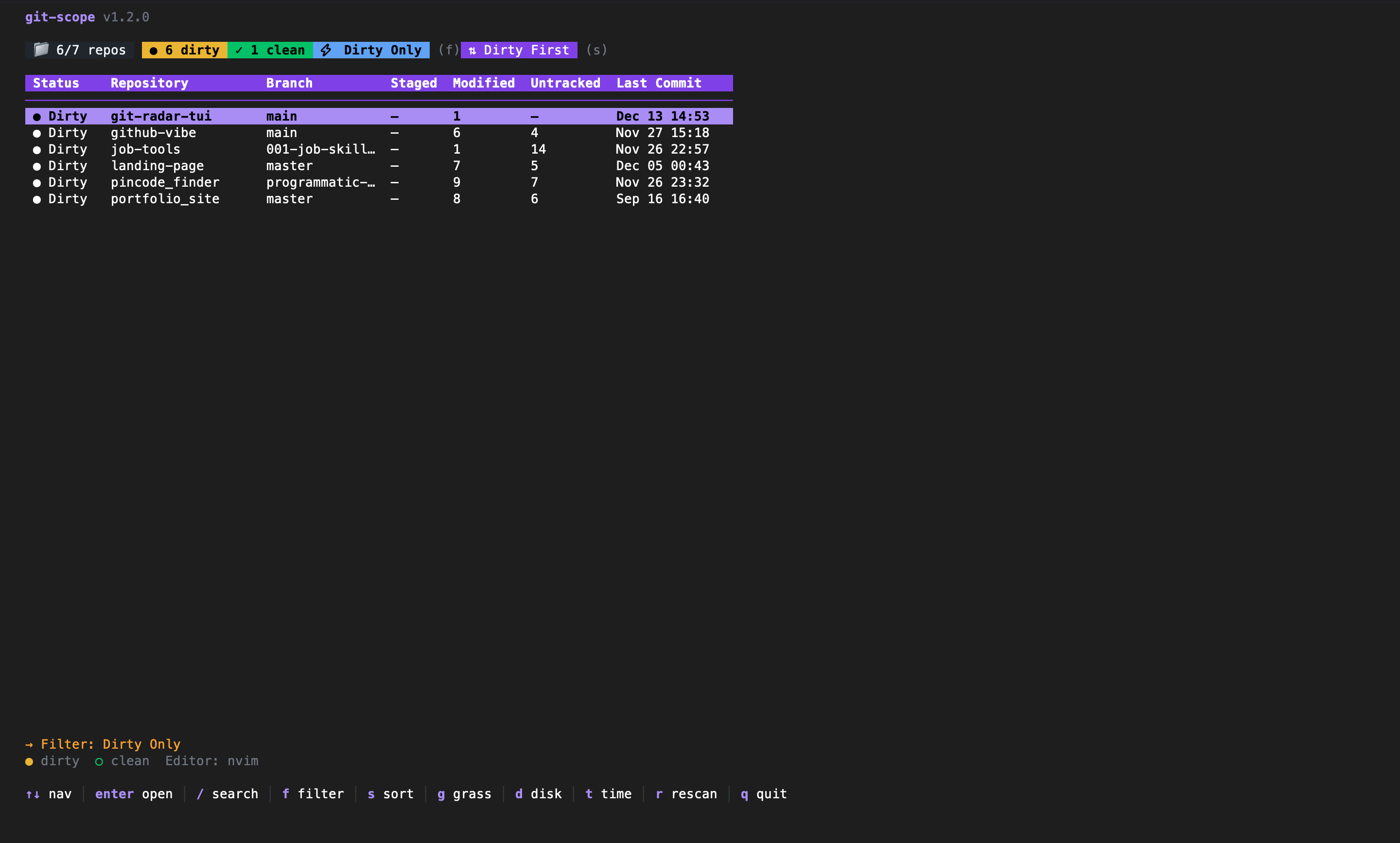
Dirty radar
Press f to filter by status. Instantly see which repos have uncommitted changes or unpushed commits. Never leave code behind again.
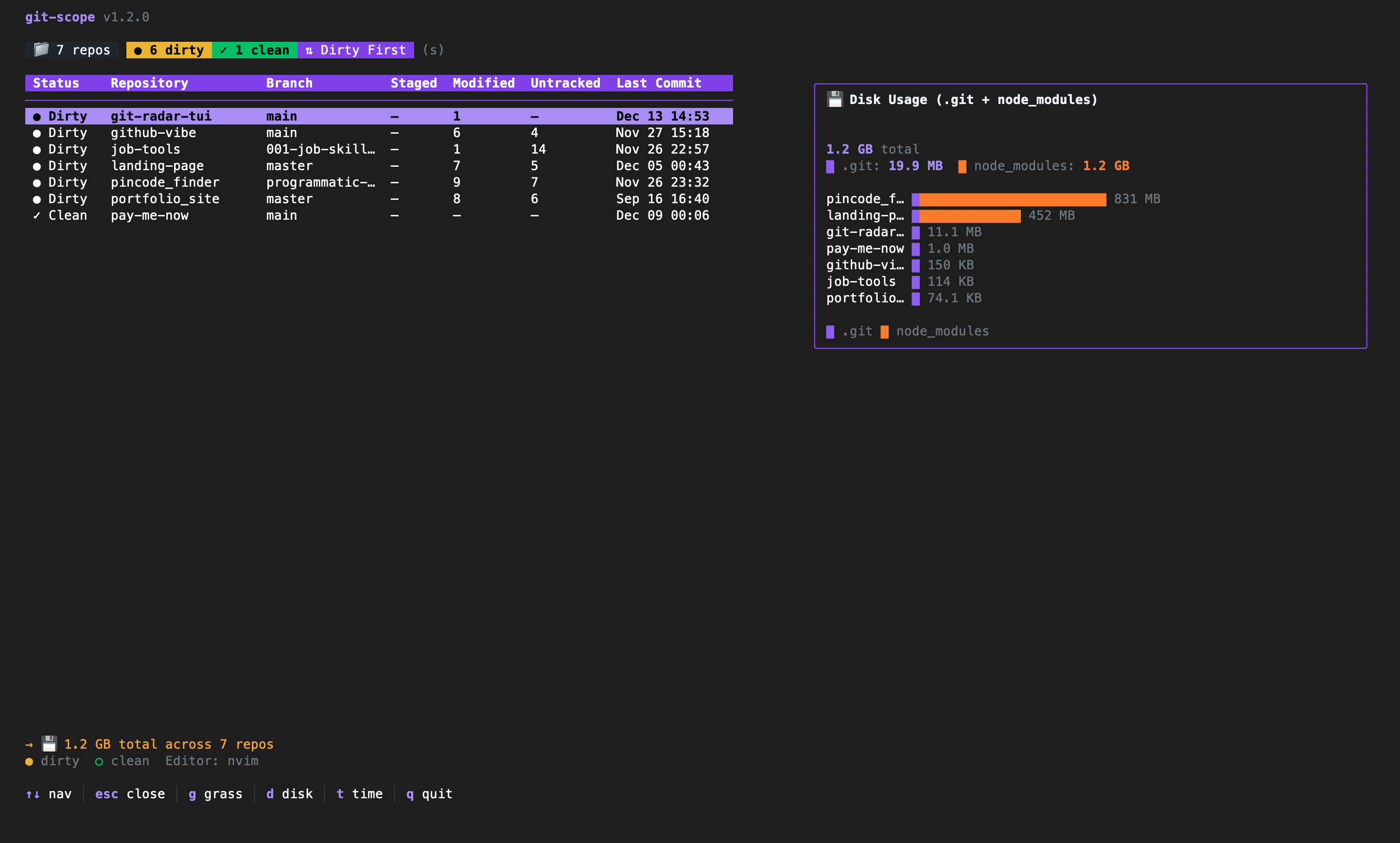
Stats & visuals
Spot disk-hogging node_modules and visualize your coding activity. Press
d for disk usage and g for your contribution heat map.
Keyboard first
Vim-style efficiency.
Every action is one keystroke away. Your hands never leave the home row.
- ↕Move down / upjk
- ⌕Search/
- ●Filter dirty reposf
- ⇅Sorts
- ⌂Switch workspacew
- ▦Contribution graphg
- ✕Clear filtersc
- ↗Open in editorEnter
Coming soon
Roadmap
Background watcher
Daemon mode to watch filesystem changes in real-time without manual rescans.
Quick actions
Pull, push, and sync repositories directly from the dashboard.
Team dashboards
Shared configuration and status views for engineering teams.
From the blog
Resources & guides
Taming multi-repo chaos
Why manually checking 50+ repositories is killing your productivity, and how to fix it.
Read on dev.to →User guide
The official manual: installation, shortcuts, configuration, and advanced workflows.
Read on dev.to →Why GoatCounter?
A deep dive into why we chose privacy-first analytics over Google and Cloudflare.
Read on dev.to →